Steps Overview
- Sign up (create new account)
- Activate account
- Log in to account dashboard
- Create new abstract submission
Signing Up
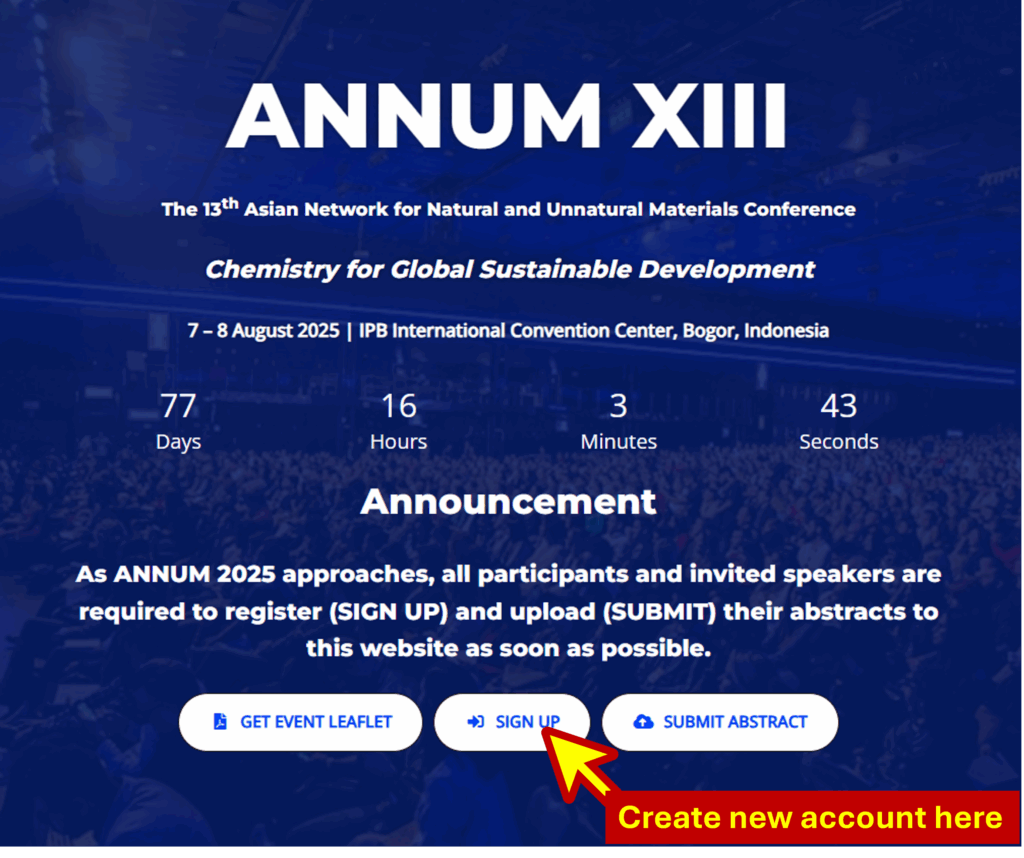
Click the SIGN-UP button.
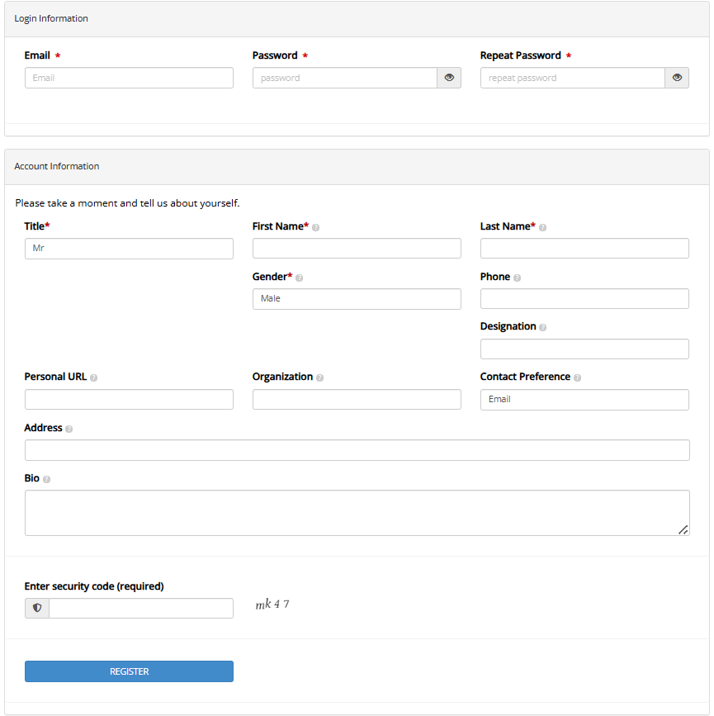
Please complete the registration form and click REGISTER.
Activating Account
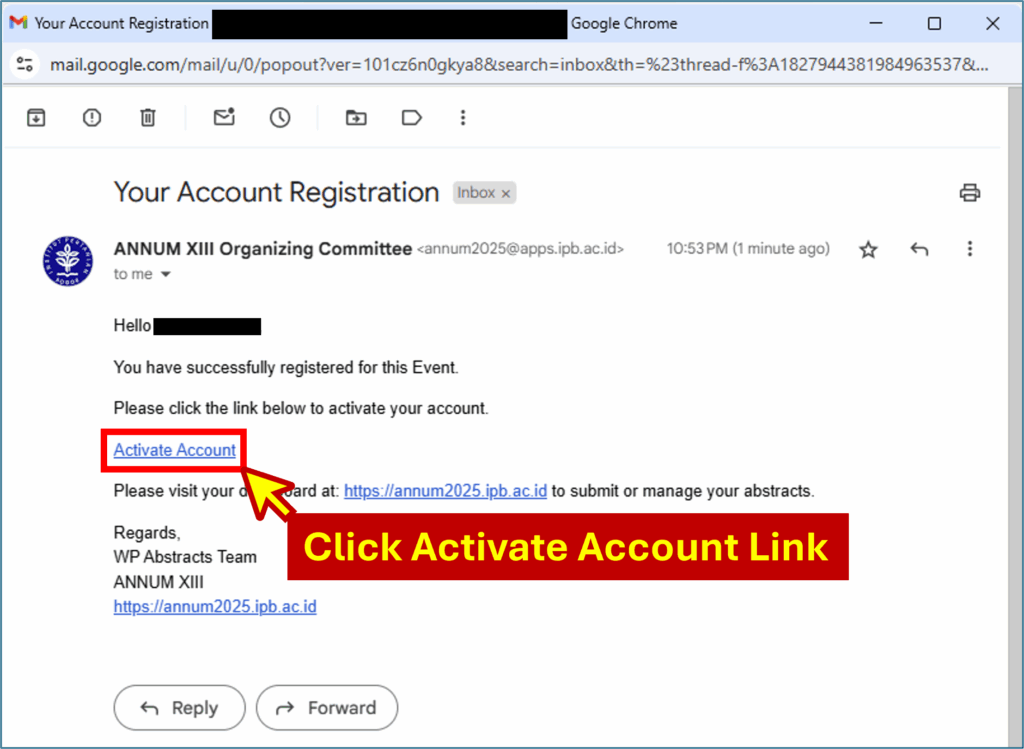
Open your email inbox then find your account activation link.
Log-in to your account DASHBOARD
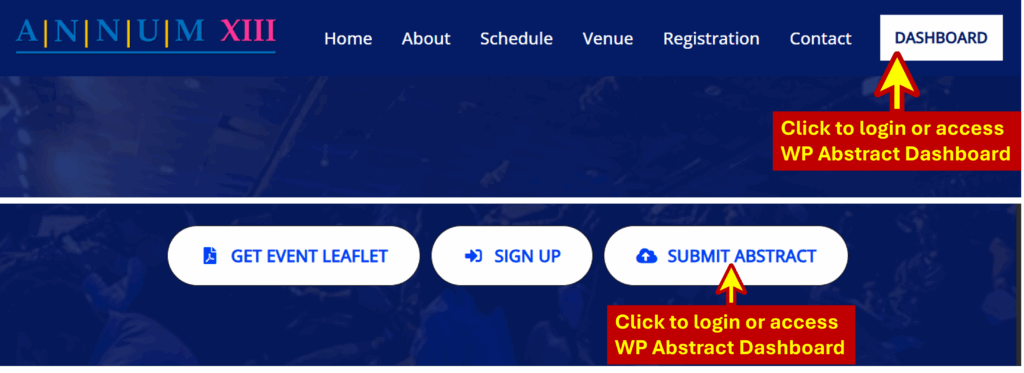
Once activated, you can log-in to your account and view the DASHBOARD. You can access the login page by clicking the DASBOARD or SUBMIT ABSTRACT buttons on the home page.
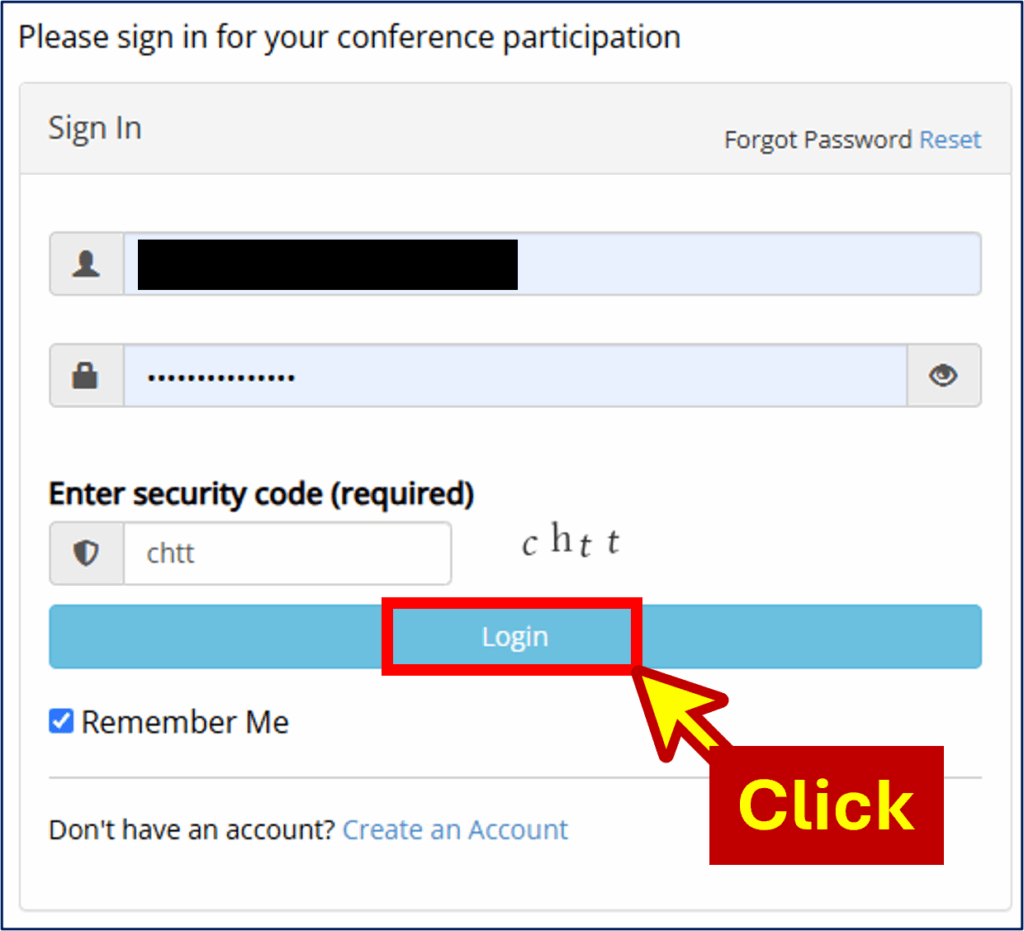
Create new abstract submission
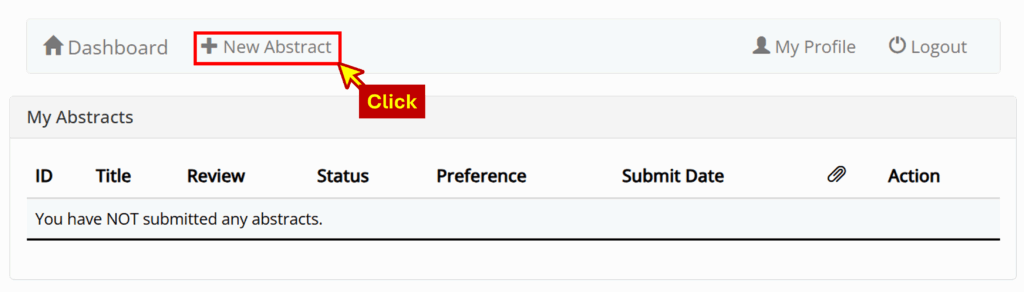
In your DASHBOARD, click +New Abstract.
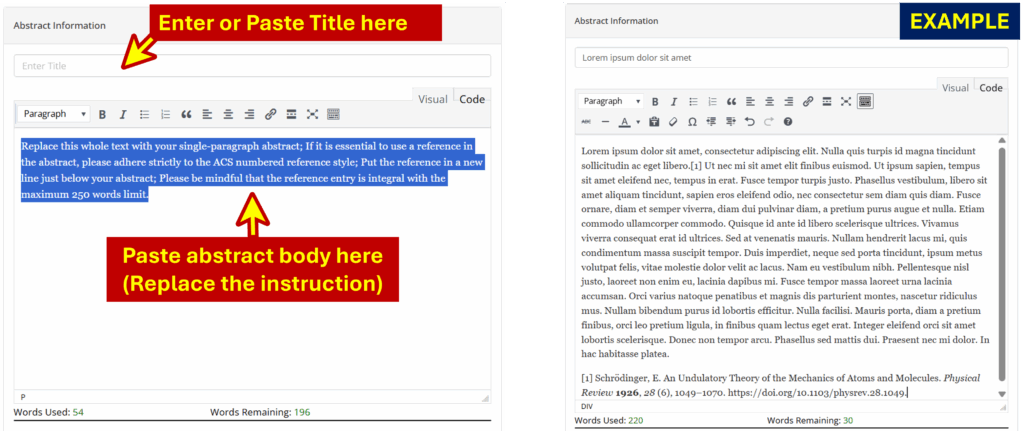
Enter or paste Abstract Title and Body (see example below).
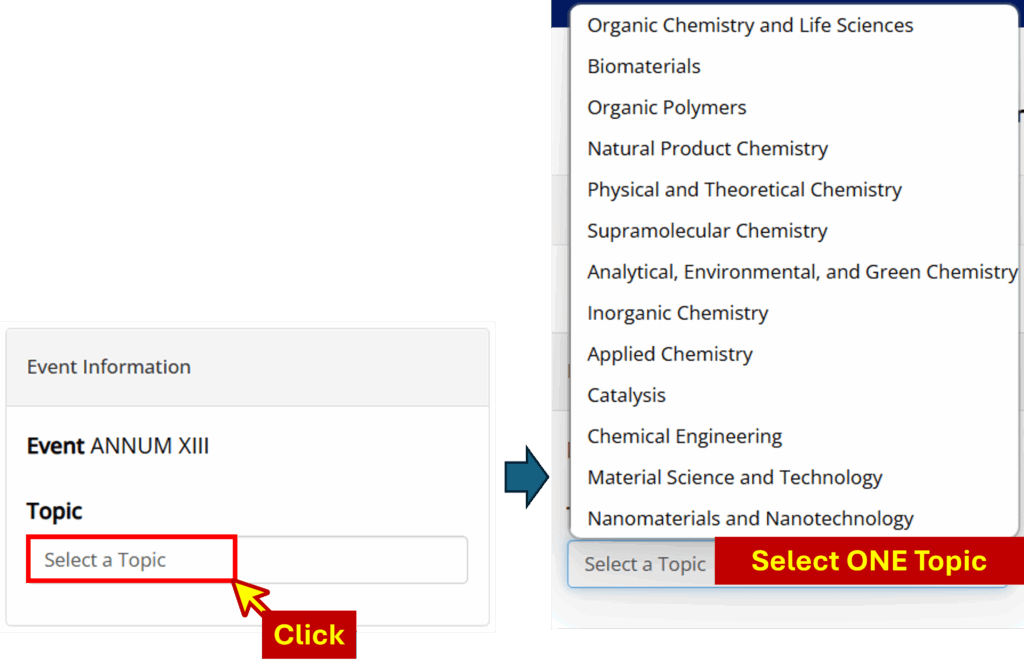
Select the appropriate Topic from the drop down list.
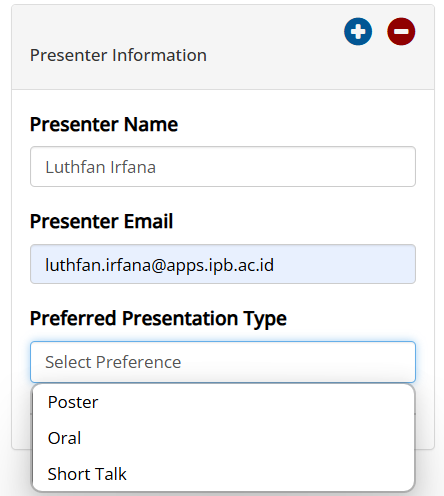
Enter Author(s) Information and Presenter Information – note that you can add or remove authors and presenters by clicking the + & – buttons (see illustration below).
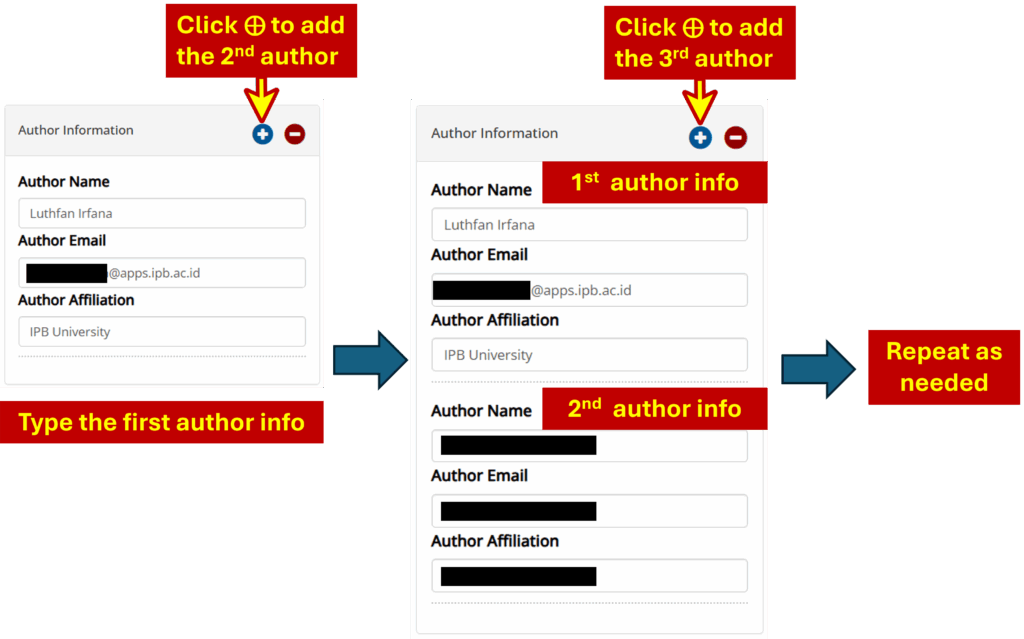
Note for Author Information entry: Enter the First Author’s Information. Begin by typing the details for the first author into the provided fields. This includes the “Author Name,” “Author Email,” and “Author Affiliation.“ Once the first author’s information is complete, locate the controls at the top right of the “Author Information” box. Click the blue “plus” icon (+) to add a new set of fields for the second author. A new set of “Author Name,” “Author Email,” and “Author Affiliation” fields will appear below the first author’s information. Add the Second Author information in these new fields. Repeat step A and B for as many authors as you need to add.
Enter preferred format by choosing Presenter Preference from the drop down list.
Enter Keywords (maximum 5 separated by commas).

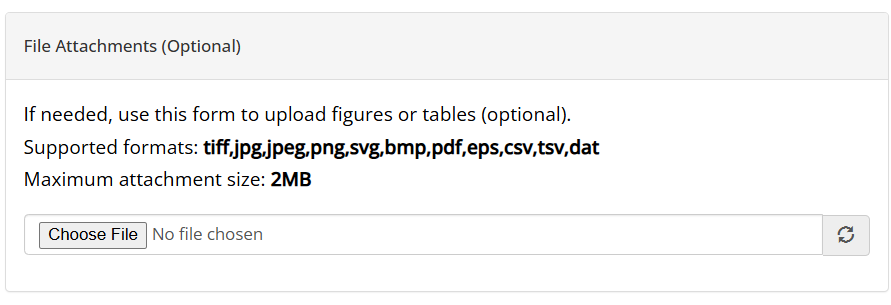
If required, you may choose one attachment to upload (for example, image or graphical illustration).
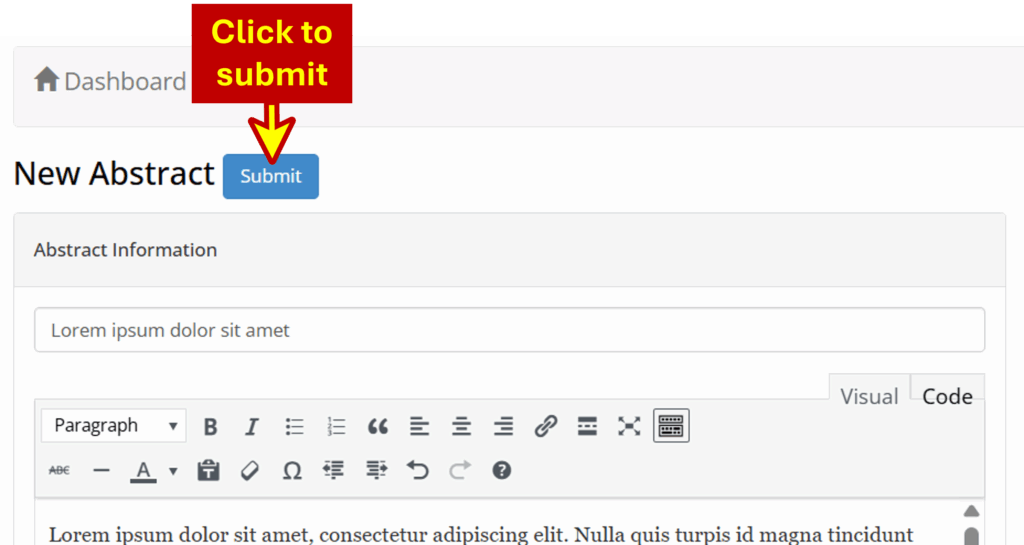
Click the Submit button on the top of the form.
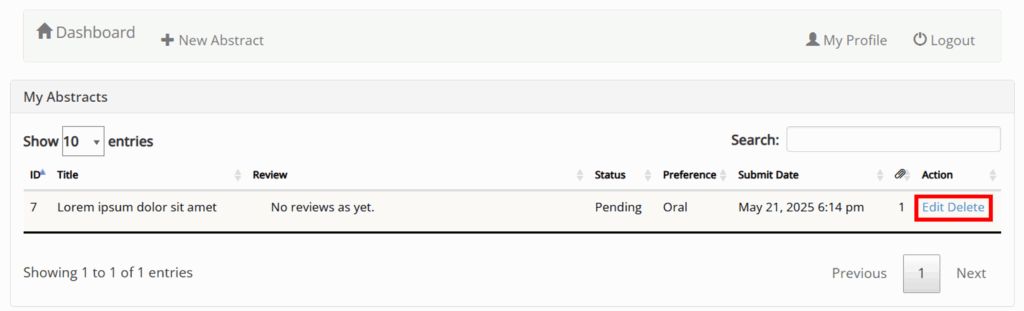
Now you can see, edit, and monitor your submission from the DASHBOARD.